
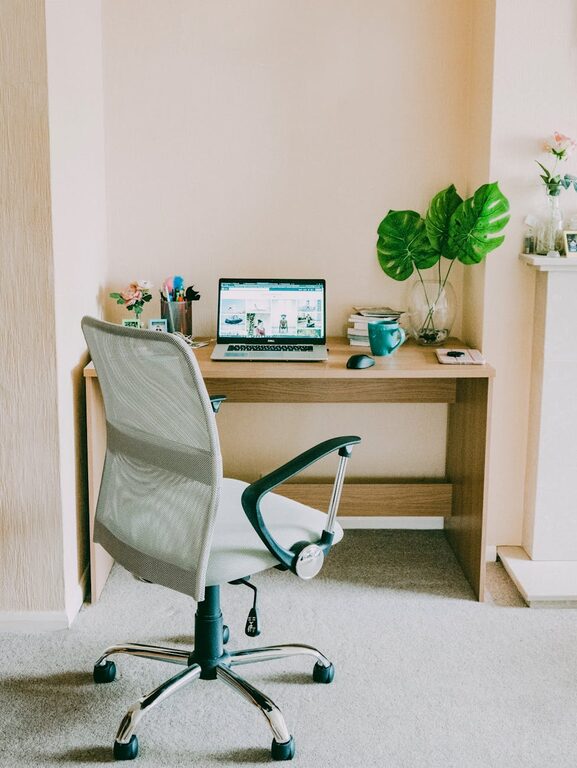
Tips for Creating a Productive Home Office Space
Creating a productive home office space is essential for anyone working remotely or spending significant time at home on work-related tasks. A well-designed workspace can improve focus, reduce distractions, and even enhance your overall well-being. Whether you have a dedicated room or just a small corner, with a few thoughtful adjustments, you can create an environment that supports your work and keeps you motivated.
Why a Dedicated Home Office Space Matters
Working from the kitchen table or couch might seem convenient, but it can lead to discomfort and distractions. A dedicated and well-organized home office separates your work life from your personal life, helping you maintain a healthy work routine and mental clarity. It also signals to family members and housemates that when you’re in your office, you’re in “work mode.”
Choosing the Right Location
Consider Natural Light
Whenever possible, choose a space with plenty of natural light. Sunlight is proven to improve mood and energy levels, which can make your workday more pleasant and productive. Position your desk near a window, but be mindful of screen glare, which can cause eye strain.
Assess Noise Levels
A quieter location helps reduce distractions and improve concentration. If silence is hard to come by, consider soundproofing options like rugs, curtains, or noise-canceling headphones.
Check Your Internet Connection
A reliable internet connection is crucial for online meetings, research, and communication. Set up your office where your Wi-Fi signal is strongest or consider hardwiring your connection with an Ethernet cable.
Essential Furniture and Equipment
Invest in an Ergonomic Chair
Your chair should support good posture to prevent back and neck pain. Look for adjustable height, lumbar support, and comfortable padding.
Choose a Suitable Desk
Pick a desk that fits your space and equipment needs. Standing desks or adjustable sit-stand desks are great for alternating positions during the day and reducing sedentary time.
Organize Your Technology
Ensure your computer, monitors, and accessories are at eye level and within easy reach. Use monitor stands or laptop risers as needed to maintain proper posture.
Organizing Your Workspace
Declutter Regularly
A tidy desk helps clear your mind. Keep only essential items on your work surface and store other supplies in drawers or shelves.
Use Storage Solutions
Drawer organizers, file holders, and shelves can keep things neat and accessible. Label storage bins to find everything quickly.
Manage Cables
Tidy cables with clips, sleeves, or cable boxes to prevent tangles and potential hazards.
Personalizing for Comfort and Motivation
Add Plants
Indoor plants not only brighten the space but also improve air quality and reduce stress.
Incorporate Inspiring Decor
Personal photos, artwork, or motivational quotes can boost your mood and keep you energized.
Control the Temperature and Lighting
Make sure your workspace is comfortable temperature-wise. Use desk lamps or adjustable lighting to reduce eye strain when natural light fades.
Establishing a Productive Routine
Set Boundaries
Communicate your work hours to household members to minimize interruptions.
Take Regular Breaks
Short breaks help maintain focus and reduce fatigue. Consider techniques like the Pomodoro method — 25 minutes of work followed by a 5-minute break.
Keep Essentials Handy
Keep water, snacks, and necessary tools nearby so you don’t have to leave your desk frequently.
Additional Tips for Success
– Use Noise-Reducing Tools: Earplugs or white noise apps can help block distractions.
– Keep a Calendar Visible: A physical or digital calendar aids in managing deadlines and appointments.
– Invest in Good Headphones: This is especially helpful if you join frequent virtual meetings.
– Maintain Good Posture: Set reminders to sit straight and stretch regularly.
—
Creating a productive home office space is about combining functionality with comfort. Customize your area to fit your needs and preferences, and you’ll likely find your efficiency and satisfaction with remote work rising. Remember, small improvements can make a big difference in how you work every day.
